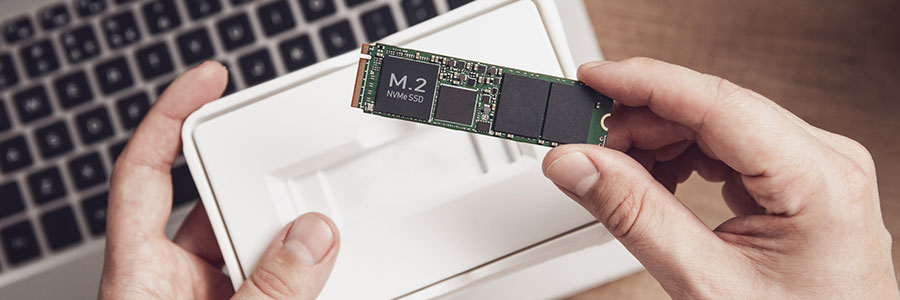
Why an SSD is better than an HDD for your Mac

There’s no question that solid state drives (SSDs) are better than hard disk drives (HDDs) for personal computers and Macs. SSDs will significantly enhance your machines’ performance in ways you may not have imagined. Here are a few specific benefits to Mac when you replace HDDs with SSDs.

They’re more reliable

Most consumer SSDs use NAND flash memory, a type of nonvolatile storage technology that doesn’t require power to retain data.

6 Compelling reasons to not jailbreak your iPad

For most users, the iPad is fantastic just as it is. It’s easy to use and there are myriad apps and content available to download from the App Store. But there are people who aren’t too happy with the restrictions that Apple imposes on how they can control and customize their device.

What you need to know about Mac ransomware

New strains of ransomware usually impact many Windows users, while only a small percentage of Mac users get affected. However, there are ransomware strains that specifically target Apple’s computers. Defending against these threats is crucial if your business mostly uses Macs.

What you need to know about Mac ransomware

December 18th, 2020 Apple

New strains of ransomware usually impact many Windows users, while only a small percentage of Mac users get affected. However, there are ransomware strains that specifically target Apple’s computers. Defending against these threats is crucial if your business mostly uses Macs.

Avoid a dead iPhone with these simple tips

Most employees are heavily reliant on their smartphones to contact clients and coworkers as well as work on the go. So if your iPhone runs out of battery, it can significantly hinder productivity and communications. However, you can easily avoid this outcome by following the six simple tips we’ve compiled below.

How to connect an external monitor to your Mac

Remote work arrangements have become the new norm for many employees. If you’ve been working from home using your Apple desktop or laptop without a second monitor, here’s some good news: you have several options for external monitors — including your TV.

First, check what displays your Mac device supports by doing the following:

Click the Apple Menu (located on the left-hand side of the screen). Then click Support > Specifications.